Guide
How to start a golf simulator business
To start a golf simulator business, choose a model that fits your location (a standalone venue, an add-on to a bar, a members' club or unstaffed bays), find a space tall, wide and deep enough for a full swing, and build revenue on more than hourly bay rental. Then make bays easy to book and pay for online, and decide how people get in when nobody is on site.
1. Choose a business model
The same bays can be run in very different ways. Your model decides your staffing, your opening hours and who your clients are:
- Standalone venue: several bays, often with drinks and a lounge, open long hours and selling bay time, lessons and events
- Add-on to a bar, restaurant or hotel: one or two bays that bring in groups and keep them longer, run by staff who are there anyway
- Members' club: regular players pay for access or hours each month and book their own times, with fewer one-off visitors
- Unstaffed bays: booked and paid online, opened with a code that works only during the booking, often available early and late or around the clock
- Mixed: staffed evenings and weekends for groups and events, self-service for members at quiet times
2. Space requirements
A full swing with a driver needs more room than most people expect, and the numbers depend on the simulator, the screen and how tall your players are. Use the following only as rough guidance and always check the maker's specifications for the system you choose:
- Ceiling height: commonly around 3 metres or more for a comfortable full swing; lower ceilings limit taller players and drivers
- Bay width: often in the range of 4 to 5 metres, wider if left- and right-handed players should both swing from the middle
- Depth: commonly 5 to 7 metres or more, covering the distance from the screen to the ball, the player and the launch monitor behind or beside them
- Space outside the bays: waiting, seating, a counter or lounge, toilets, storage and a safe walkway behind players
- Building basics: power for projectors and computers, ventilation, a floor that takes a hitting mat, and neighbours who won't mind the sound of impact
3. Launch monitors and the bay itself
The launch monitor measures the ball and club and feeds the software that draws the shot. Broadly there are two kinds: camera-based (photometric) systems, often mounted overhead or on the floor beside the ball, which read the ball and club close up and work well in short indoor spaces; and radar-based systems, usually placed behind the player, which track the ball's flight and need enough distance to read it. Compare accuracy with real clubs, how well they handle left-handers, how robust they are for heavy daily use and what the software licences cost each year.
Around the monitor, each bay needs an impact screen and enclosure, a projector, a hitting mat, a computer with the simulation software, and padding or netting so a mishit can't hurt anyone or damage the building. Plan for spares and maintenance: mats and screens wear out with use.
4. Revenue streams, peak and off-peak
Demand bunches up: weekday evenings, weekends and the months when outdoor golf isn't possible fill first, while weekday mornings and summer afternoons are quiet. Price the busy times higher and use the quiet ones for cheaper rates, memberships, lessons and corporate bookings during working hours. Work out your prices from your costs and a realistic number of booked hours per bay (the guide on pricing by the hour shows the method), and review utilisation by weekday and hour every few months.
Bay rental by the hour is the base, but quiet hours and seasonal swings make it risky to rely on it alone. Most venues combine several of these:
- Hourly bay rental, with a minimum length that suits a round or a practice session
- Memberships with hours included each month, or priority booking for members
- Hour packs paid up front, which regulars use over a few months
- Lessons with a coach, sold together with the bay time
- Leagues and tournaments that fill the same evening every week through the season
- Events, parties and corporate bookings for teams, often for several bays at once
- Gift cards, food and drink, club fitting or equipment sales where it fits your model
5. Staffed or unstaffed
Staff cost money every hour you are open, so many venues run at least some hours without anyone on site. That works when every booking gets its own access, the bays explain themselves and someone can be reached when something goes wrong:
- A door code per booking that works only from shortly before to shortly after the booked time, cancelled with the booking
- Clear house rules shown at booking: footwear, the number of people per bay, what happens after damage
- Bays that start with one button, and short instructions on the screen or the wall
- Cameras at the entrance and an alarm, with data protection rules followed and your insurer informed
- A phone number in the confirmation and a way to open the door remotely
6. Taking bookings and payments online
Golfers expect to see free bays and book from their phone, like a tee time. Take payment at booking so no-shows don't cost you, show the cancellation policy before they pay, and send a confirmation with the address, the house rules and the door code if you use one. Let regulars buy memberships and packs online too, and give companies a simple way to book for a team and pay by invoice.
Doing this in Ruumio
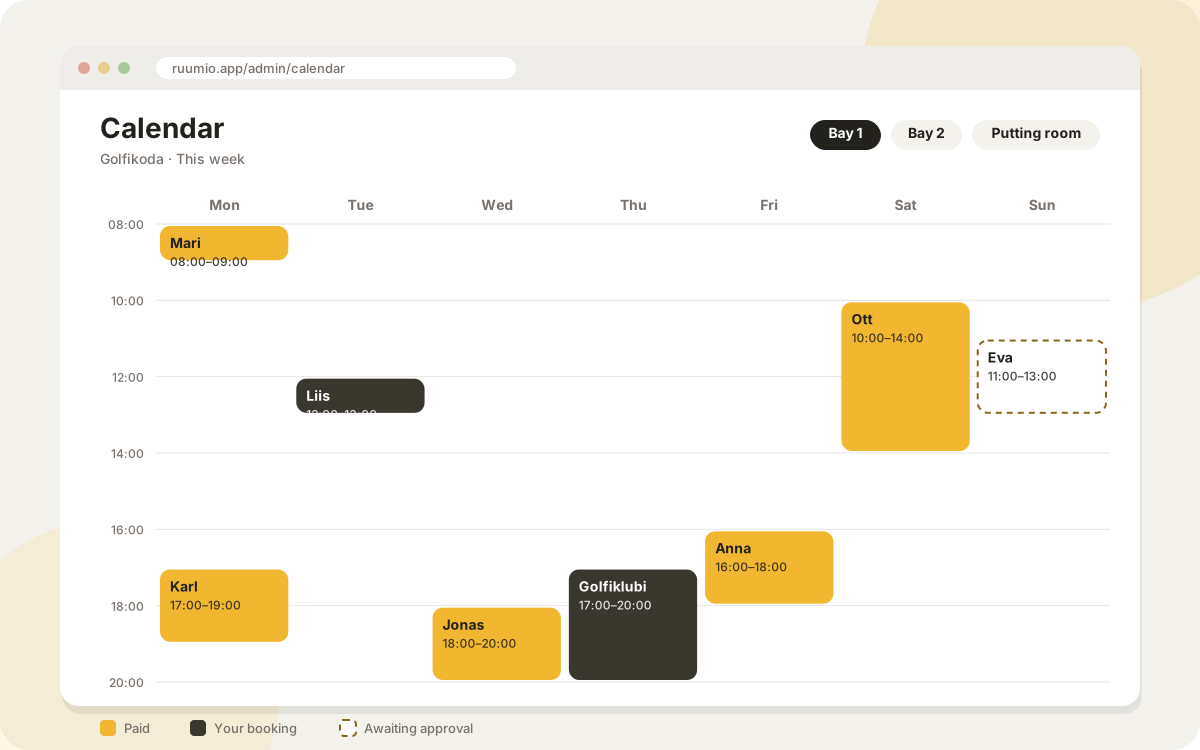
In Ruumio each bay is a room with its own opening hours, minimum length, buffer and cancellation policy, booked on your own website and paid by card through your Stripe account. On Standard and Pro you can set peak and off-peak rates by weekday and time and block prices; members' plans with hours per bay and company accounts with a monthly invoice are Standard and Pro too, and Pro adds hour packs and gift cards. A coach can be offered as a booking extra and assigned as staff.
With the door codes add-on every booking gets its own UniFi Access code, valid only around the booked time and revoked if the booking is cancelled, so bays can be open early and late without anyone at the door.
Questions
How much space does a golf simulator bay need?
It depends on the system and your players, so check the maker's specifications. As a rough guide, many venues look for a ceiling of about 3 metres or more, a bay around 4 to 5 metres wide and 5 to 7 metres deep.
Can a golf simulator business run without staff?
Yes, for some or all hours, if each booking gets its own door code, the bays are simple to start, house rules are clear and someone can be reached by phone.
What earns more than hourly rental?
Memberships, hour packs, lessons, leagues and corporate events fill quiet times and bring regular income. Most venues combine several of them with bay rental.
Camera-based or radar launch monitor?
Camera-based systems read the ball and club close up and suit shorter rooms; radar systems track the ball's flight and need more depth. Compare them in your space, with real clubs and the software you plan to use.
Updated 25 October 2026
Try Ruumio free for 14 days
No credit card needed. Your own website and booking calendar in a few minutes.
Create your studio