Guide
Podcast studio design and equipment
A good podcast studio is a room treated against echo, laid out so two to four people can see each other with a microphone each, and equipped with gear simple enough that every session starts the same way. For video, add soft light, a backdrop with depth and a camera per speaker, then keep time between bookings to reset it all.
1. Acoustics: absorption is not isolation
Two different problems get mixed up. Isolation keeps sound from getting in or out: traffic, neighbours, the next room. It comes from mass and airtightness: solid walls, a heavy door with seals, no gaps around pipes or vents. Absorption controls how sound behaves inside the room: the echo and ringing that make a voice sound distant. Foam on the walls does nothing for isolation.
For speech, absorption usually matters most, and you don't need to cover every surface:
- Thick panels (mineral wool or similar, a few centimetres or more, in a fabric frame) work far better than thin foam. Egg-crate packaging and thin tiles only take the top off the highest frequencies and leave the room boomy.
- Put panels at the first reflection points: the walls beside and behind the speakers and the ceiling above the table.
- Corners collect low-frequency build-up; thicker panels or bass traps there help a small room most.
- Soft furnishing helps too: a rug under the table, curtains, a sofa, a full bookshelf that breaks up flat surfaces.
- Check the quiet: air conditioning, a fridge, a humming light or a computer fan will be on every recording. Choose silent options or switch them off during sessions.
2. Layout for two to four guests
People talk better when they can see each other. A round or oval table, or a slightly curved arrangement, lets everyone make eye contact without turning away from their microphone.
- One microphone per person, on an arm or a stand that doesn't touch the table, so knocks and taps don't reach the recording
- Enough distance between speakers that each microphone picks up mostly its own voice
- Headphones for everyone, with their own volume control, so guests hear themselves and notice when they move away from the microphone
- Comfortable chairs that don't creak or swivel noisily, at a height that matches the table
- Cables run under or along the table, not across the floor where people walk
- A place for the engineer or the host's laptop with a view of everyone
3. A set for video podcasts
Video changes the room: it has to look good from the camera's point of view, not just sound good. Plan the set together with the acoustic treatment, so the panels and the backdrop work as one.
- Light: a large, soft key light for each speaker, a fill to soften shadows, and a back or rim light to separate people from the background. Keep every light the same colour temperature and switch off mixed daylight.
- Backdrop: some depth behind the speakers (shelves, plants, a lit wall, the studio's name) looks better than a flat wall straight behind their heads. Acoustic panels in fabric colours can be part of it.
- Camera angles: a wide shot of everyone and a closer shot per speaker is the usual base; a third angle adds variety. Keep the eye lines consistent so the edit makes sense.
- Microphones in shot: low-profile arms or stands that don't hide faces.
- Power and cables planned for cameras and lights that run for hours without batteries running out.
4. Equipment by category
There is no single right kit; what matters is that it suits your room, works every time and can be explained to a client in a minute. The main categories:
- Microphones: dynamic microphones pick up less of the room and are forgiving in imperfect spaces; condensers capture more detail but also more room and noise. Buy the same model for every seat so voices match.
- Audio interface, mixer or podcast console: enough microphone inputs for every seat plus one spare, a way to record each voice on its own track, and controls a client can understand.
- Headphones and a headphone amplifier: closed-back headphones so the sound doesn't leak into the microphones, and an amplifier or console with a separate level for each person.
- Recorders: a second, independent recording as backup, so a crashed laptop doesn't end a session.
- Cameras and capture: cameras that can run for long sessions without overheating or stopping, a clean video output, and a way to record or switch between them.
- Cables, stands and the small things: spare cables of every type, pop filters or foam windscreens, adapters, extension leads, labels on everything.
5. What renters expect
Clients pay for a session that starts on time and works. They notice the room and the gear less than whether anything went wrong.
- The room set up and tested when they arrive, with the microphones in place and the headphones working
- Short written instructions: how to start and stop the recording, where the files go
- A clear way to get the files: a download link, a drive, or a copy handed over at the end, and how long you keep them
- Wi-Fi, water, somewhere to put coats and bags, and a temperature that stays comfortable with the door closed
- Someone to call if something doesn't work
6. Keeping the room ready between bookings
The reset is what keeps the next client happy. Keep time between bookings for it, and use the same checklist every time, whether you do it yourself or the client does part of it before leaving:
- Microphones and arms back to their marked positions, levels reset to the default
- Headphones and cables checked and coiled, anything faulty set aside and replaced from spares
- Batteries and memory cards charged or swapped, recordings handed over and then removed from the studio's machines
- Surfaces wiped, the room aired, rubbish out
- A quick test recording if the session changed the setup
Doing this in Ruumio
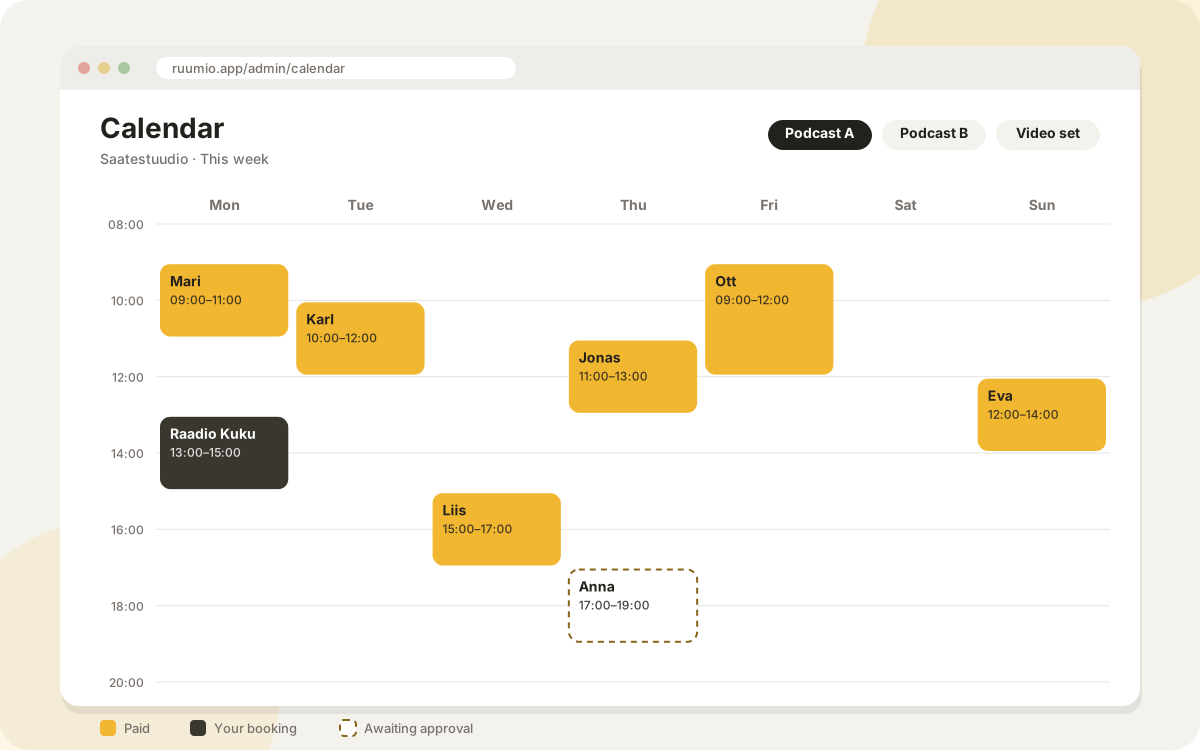
Each room can list its equipment and capacity on your site, and booking questions (all plans) let you ask before the session what you need to know: the number of guests (capped by the room's capacity), whether it is audio or video, what the client brings. A buffer before and after every booking keeps time to reset the room; members and guests can't book over it.
An engineer, a video package or editing can be offered as booking extras (Standard and Pro), priced per hour or per booking and limited to how many you can supply at the same time, so one camera kit can't be booked in two rooms at once. An extra can need your approval, and staff accounts are assigned to the sessions that need them and see their sessions on their own page.
Questions
Does acoustic foam soundproof a room?
No. Foam and panels reduce echo inside the room. Keeping sound in or out needs mass and airtightness: solid walls, a sealed heavy door and no gaps.
Dynamic or condenser microphones for a podcast studio?
In most rented rooms, dynamic microphones are the safer choice because they pick up less of the room and of the other speakers. Condensers can sound great in a well-treated room with careful technique.
How much space does a video podcast need?
Enough for the table and speakers plus distance for the cameras and lights in front of them. A room that works for audio can feel cramped for video, so plan the camera positions before you build.
How long should the break between bookings be?
Long enough to reset to your checklist and air the room. Time it a few times when you start and set the buffer from that, with a margin.
Updated 25 October 2026
Try Ruumio free for 14 days
No credit card needed. Your own website and booking calendar in a few minutes.
Create your studio